Track
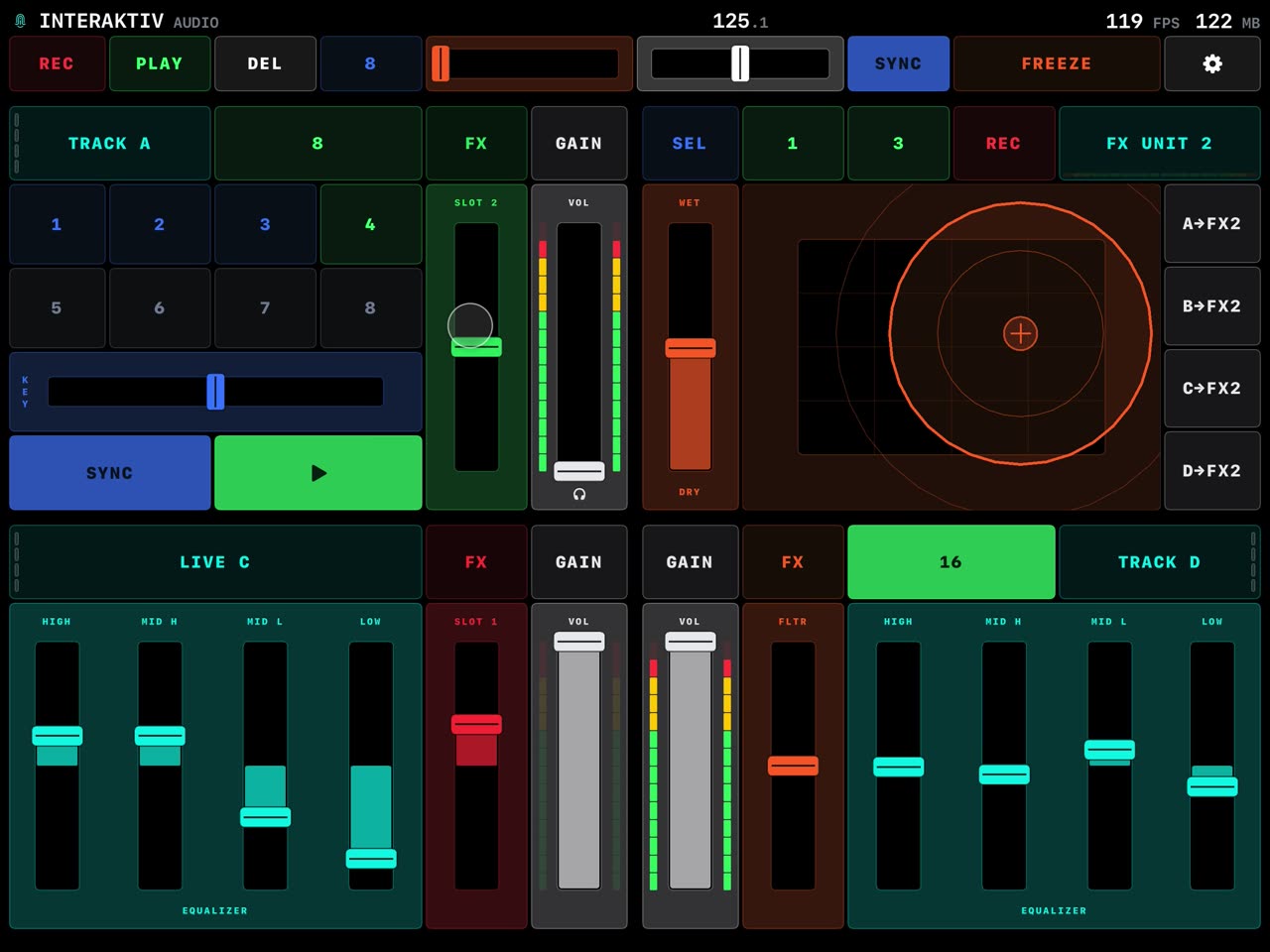
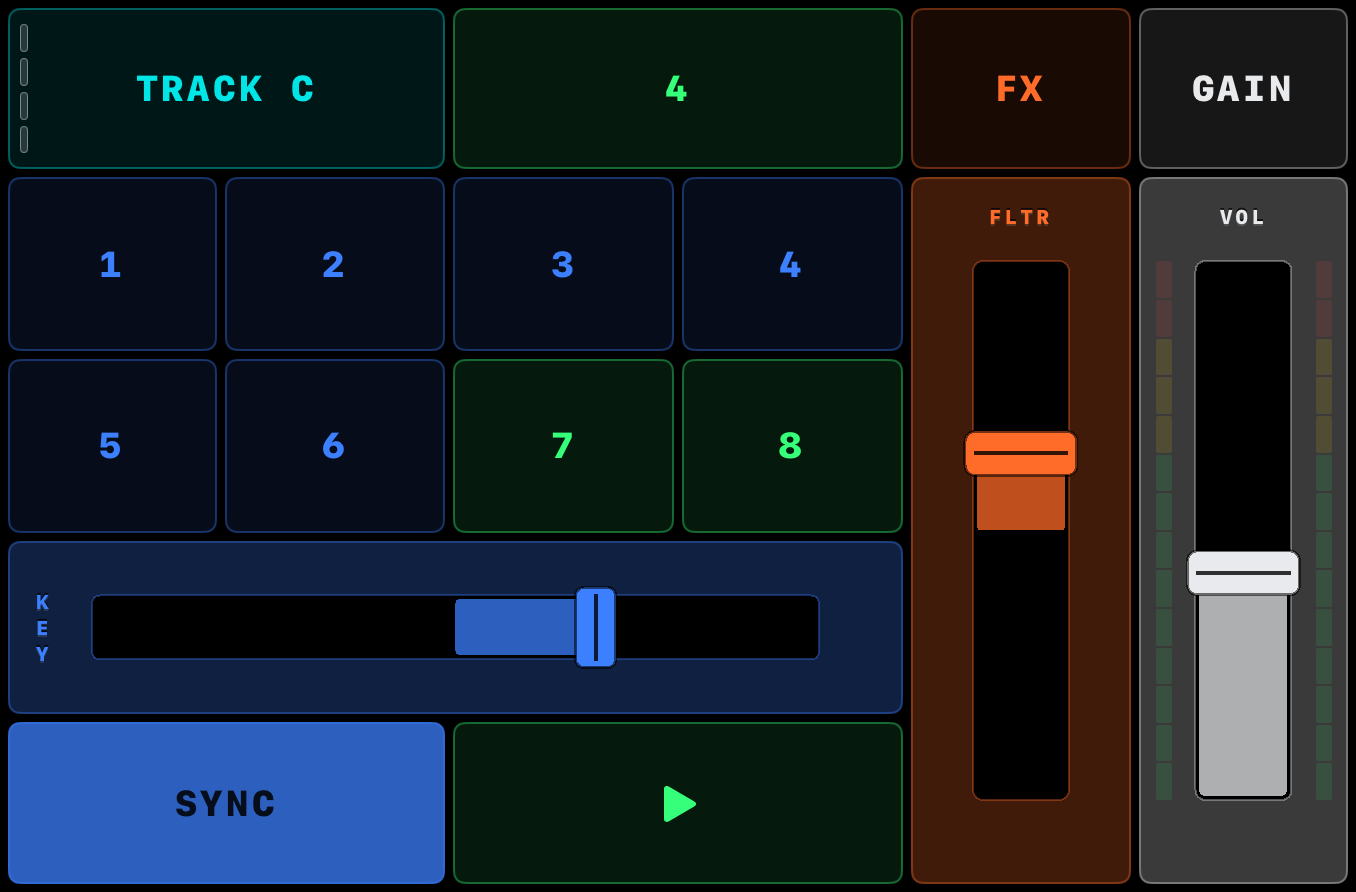
Color-coded hot cues, loops, key fader, 4-band EQ with kills, and a filter fader that doubles as 4 Mixer FX slots.
You play it with both hands, continuously, instead of reaching for one knob at a time.
Any iPad on iPadOS 18 or later · Traktor Pro 3 or 4 on a Mac or Windows 11 PC · one USB cable
Free to download. $14.99 once, no subscription.

 Scan with your iPad
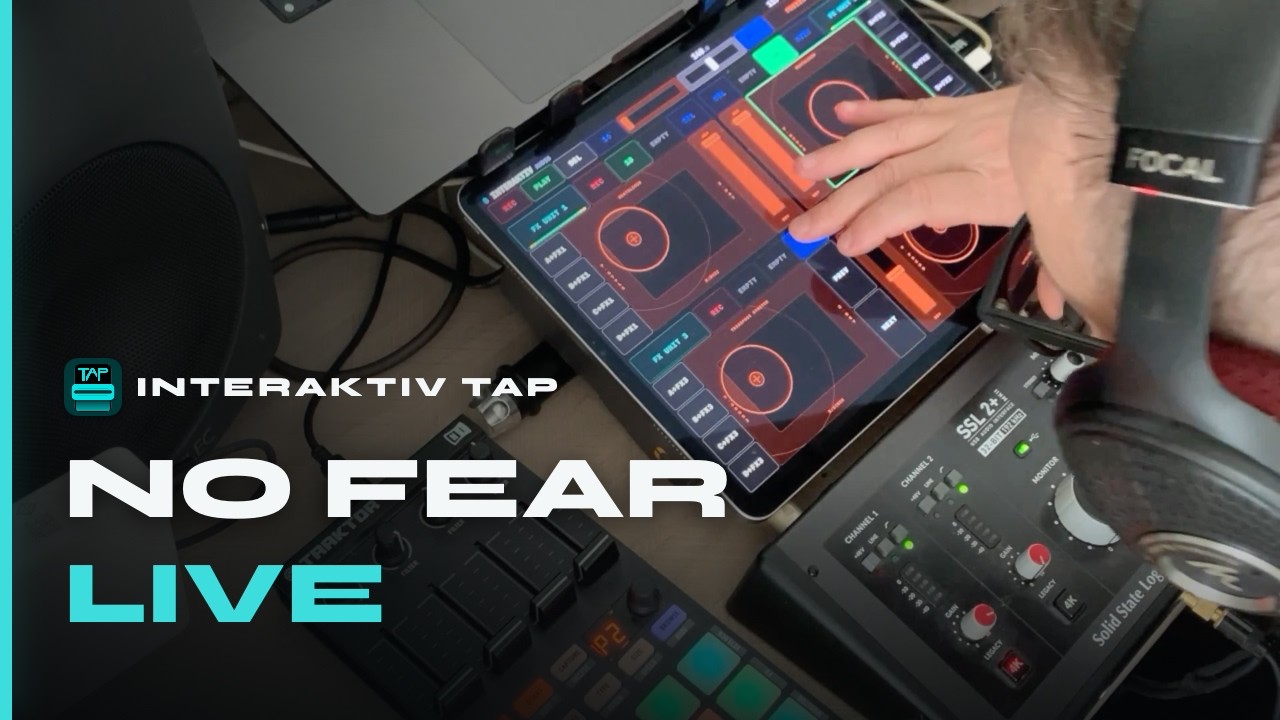
One set, played straight through on Interaktiv Tap. Pierantonio Gualtieri has been DJing since 1990, performs as Iltoro, and is one half of Interaktiv Audio. Here he plays his own tracks on it, alongside two Kontrol F1s.
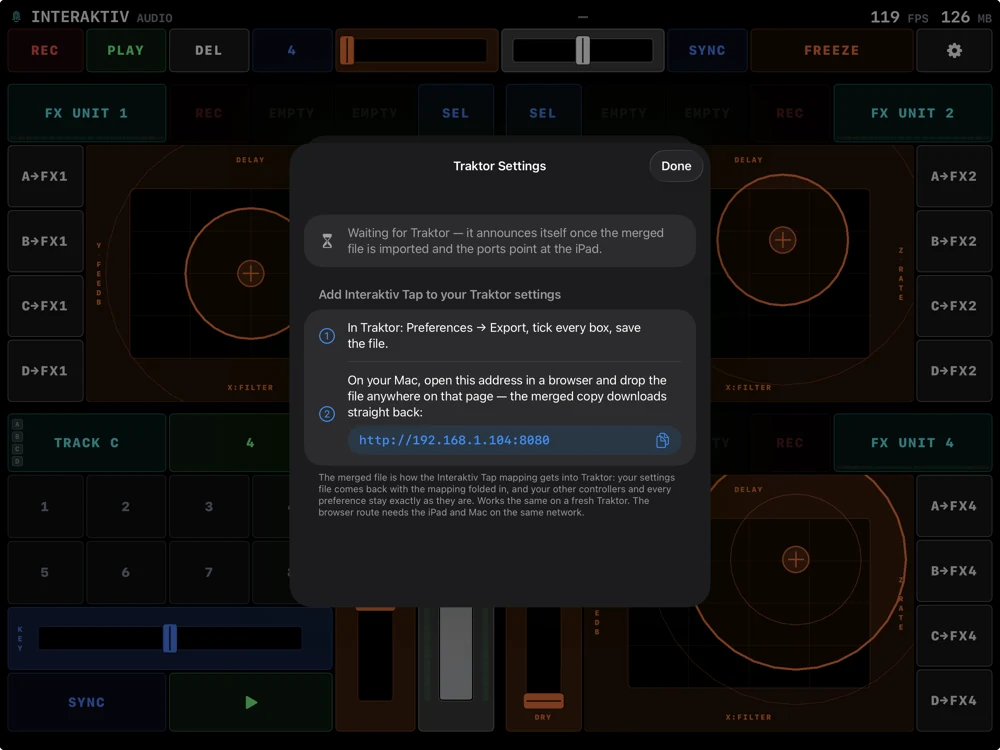
You never open Traktor’s mapping screen. Your own settings file comes back with the mapping folded in — your other controllers, preferences and layouts all survive untouched.
About two minutes. No mapping file to hunt down, nothing wired by hand — and on a Mac, nothing to install. Your own export stays on your disk untouched, and the merge runs over your own Wi‑Fi — that page is served by the iPad itself, so the file never leaves your network. No shared Wi‑Fi? AirDrop it across instead. On a Windows PC, the free Interaktiv Bridge app carries the cable connection and opens the same page from its tray menu — no Wi‑Fi involved; the manual has the steps. Run the merge again after an app update, since updates extend the mapping — the app checks the version Traktor reports and tells you when it is out of date.
Track decks for ordinary tracks, stem decks for the four parts of a stem file, remix decks for a grid of samples, and live input for anything you plug in. All four from one iPad, with hot cues, loops, a key fader, a 4-band EQ with kills and the filter all on the surface.
Color-coded hot cues, loops, key fader, 4-band EQ with kills, and a filter fader that doubles as 4 Mixer FX slots.
Per-stem volume, filter and FX send, each with its own mute or on/off.
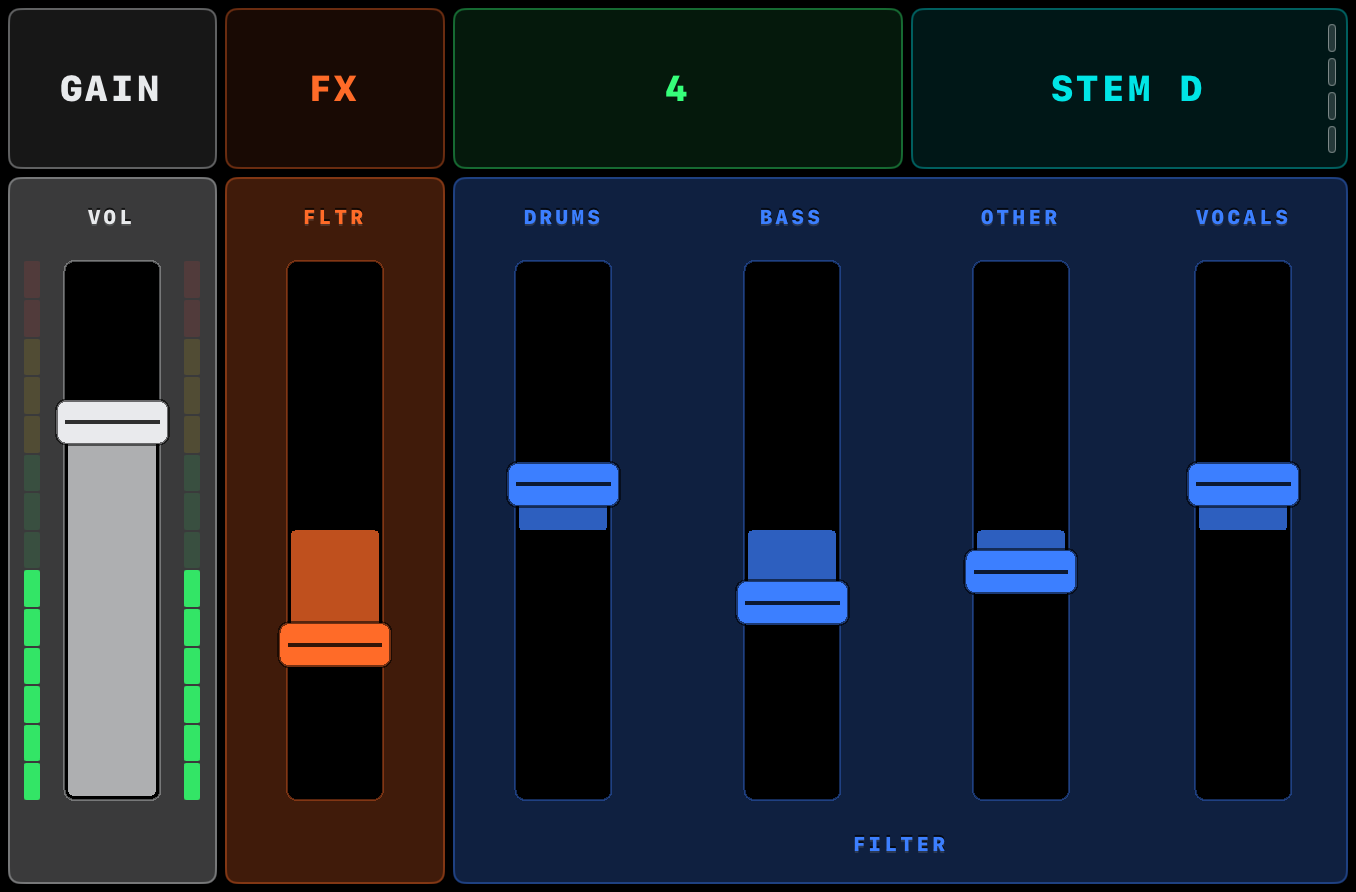
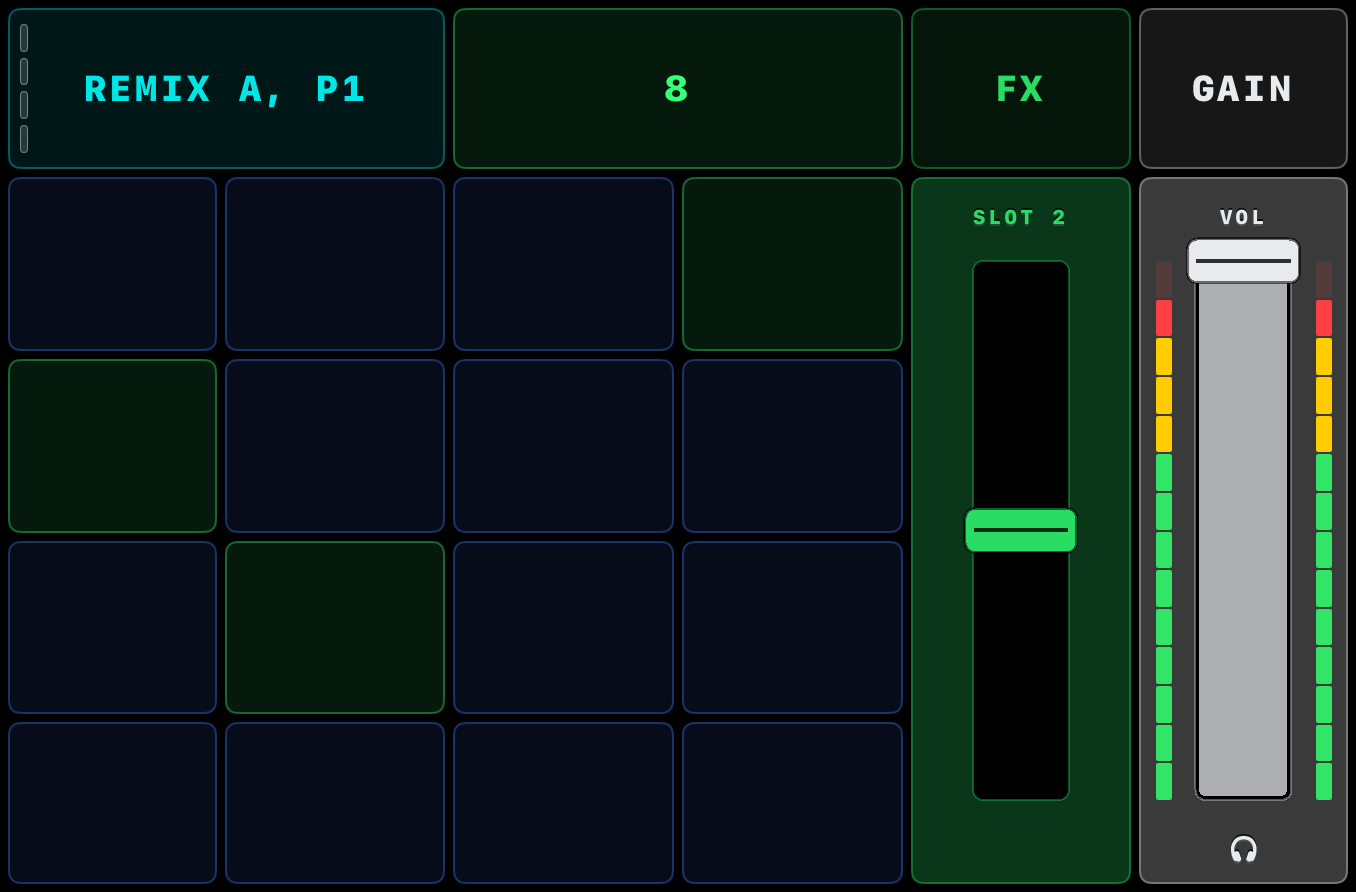
Beat-synced cell launcher, queue and punch-in, slot pages.
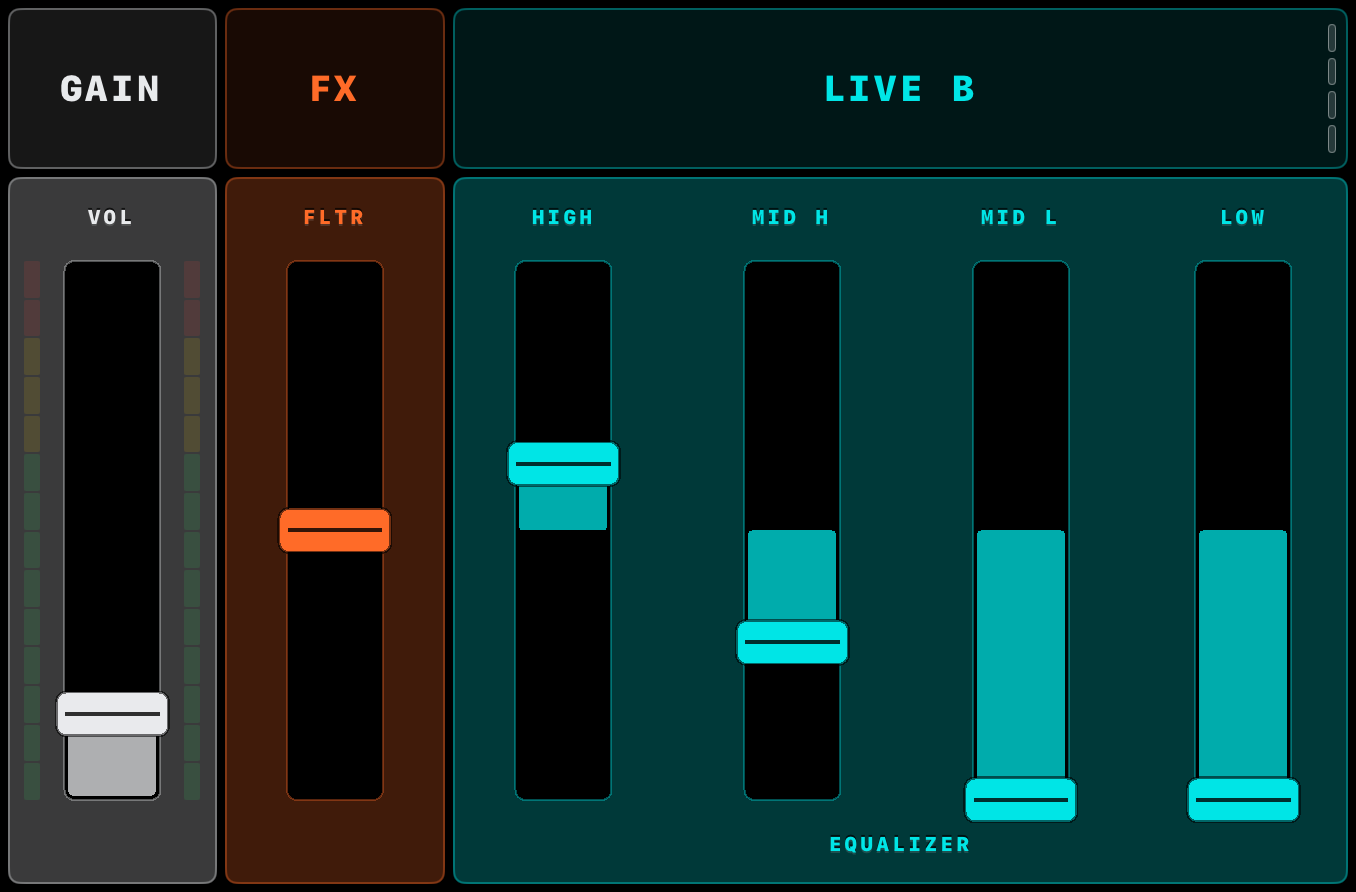
EQ, filter, FX, gain for an external source.
There are no rotary knobs in Interaktiv Tap. A knob wants a finger that can grip and twist, and glass gives you neither — so there aren’t any. Everything is a button, a slider or a pad — the pad is where two fingers give you three axes at once. Those are the things a finger does well on a screen.
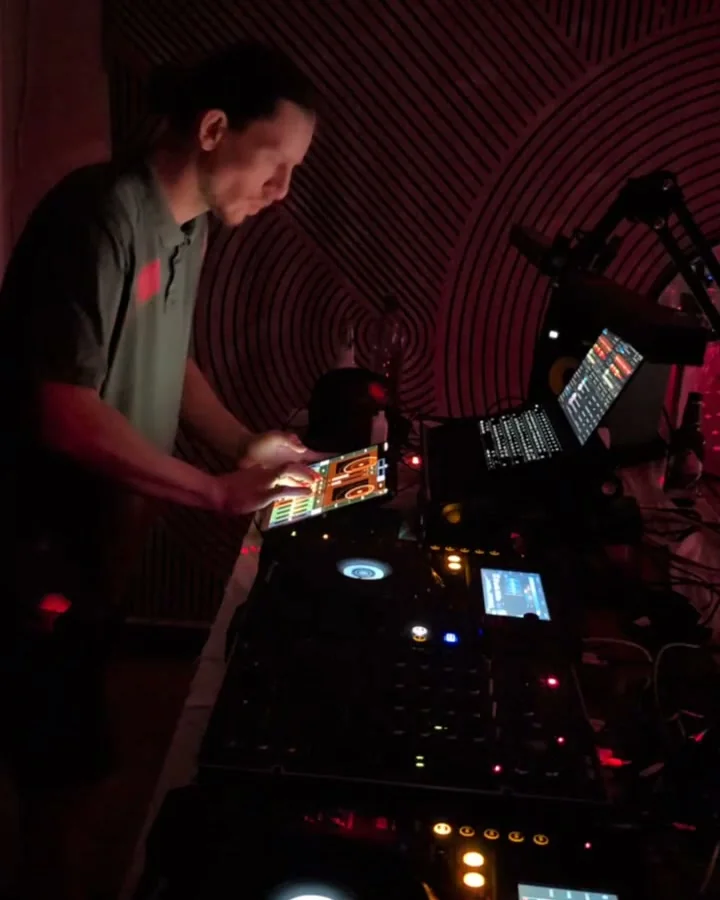
In the booth, mid-set — the iPad flat in front of the laptop.
Touch an FX pad with two fingers — it tracks both across three axes: X, Y, and the distance between them. Record the move, release, and it loops in time, synced to the beat. Four FX units, two recorded gestures each. The effect is on while a finger is on the pad and off when you lift — tap HOLD to keep it, or let a loop hold it; while a loop plays, REV runs it backwards from the next beat.
“I must say the FX Units are quite impressive, with that Z axis…and the rec/loop function 👍🏼”
REC captures a phrase from the mix, PLAY loops it back, and the dry/wet fader blends it into what you are playing. It is Traktor’s own Loop Recorder — most controllers never map it, so it stays stuck on the laptop. Here it sits in the header, with its length from 4 to 32 beats and an undo.
The effect names, cue colours, meters and phase bars you read are the ones playing. Reconnect the iPad mid-set and it catches up by itself — nothing to tap.
It installs as its own device in Traktor, so your S4, X1 or hand-built mappings stay exactly as they are and everything can be plugged in at once.
Today the iPad sends control, not audio — Traktor plays the music. If the iPad drops out mid-set, the music keeps going. It charges over the same cable.
The moves that matter — play, sync, loops, deck flips — take a deliberate two-finger tap, so a stray hand never fires one mid-set.
Freeze snapshots where your hands are. Go anywhere from there — push every fader, kill the EQs, run the filters up — then restore in one tap and you are back exactly where you started. Hold FREEZE and let go to snap back; tap it with two fingers and the snapshot stays hands-free — the button reads RESET until you return.
A lock screen for wiping sweat off the glass without triggering a thing. Magnetic faders you can slam for juggling. Decks that expand to show everything on them.
Magnetic center faders you can slam for juggling — or ride from anywhere, with no jump on touch-down.
Swipe a deck open for more — the deck beside it shrinks to a live strip and never goes dark. On the open deck, the EQ kills are one hold away.
Lock the screen to wipe off sweat — trigger nothing.
“That’s a good one. Very thoughtful.”
A built-in assistant answers questions about every gesture and feature — right in the app, on device, and offline. Ask how to kill the bass or cue a deck, and it pulls the exact step from the manual.
The manual lives online too — add it to your own AI assistant and ask it anything about the app.
Browse Traktor’s effects and pick the one you want, right on the instrument.
Keep your own shortlist per unit, so the effects you actually use are one tap away.
Swap a quadrant between a deck and an FX unit with a two-finger tap, mid-set.
Rest a finger on any control and the header says what it takes — the two-finger tap, the hold, the swipe. Turn them off in Settings once you know them.
Press and hold a control to show what sits underneath it, without firing anything.
Free to download, with a 7-day trial. Then one unlock, no subscription. A free session runs 15 minutes: the surface locks, Traktor keeps playing, and you relaunch for another.
$14.99 once, in
That is the iPad 7th generation, mini 5th generation, Air 3rd generation and iPad Pro 11″ or 12.9″ onwards — the FAQ lists them. One cable straight into the computer, no adapter. On Windows, our free Interaktiv Bridge app carries the USB connection.
Scan with your iPad
“AWESOME APP man I cant belive how free I feel with playing with STEMS, will be an insta buy for sure, but even the trial aproach is great TYVM for what you guys are doing, keeping traktor alive!!!!”
New to this? See how to play Traktor from an iPad, or read the full manual.
Going further? See everything it plays in Traktor, how Traktor MIDI mapping works, or how it compares with other iPad controllers.