Traktor stem and remix decks from an iPad — Pro 3 or 4
Traktor's stem and remix decks — in Pro 3 and Pro 4 alike — are built for hands-on performance — and a multi-touch iPad is a natural fit. With Interaktiv Tap you mix each stem and fire remix cells by touch, over USB, with the whole surface in front of you. Here's what that looks like.
#What stem decks are
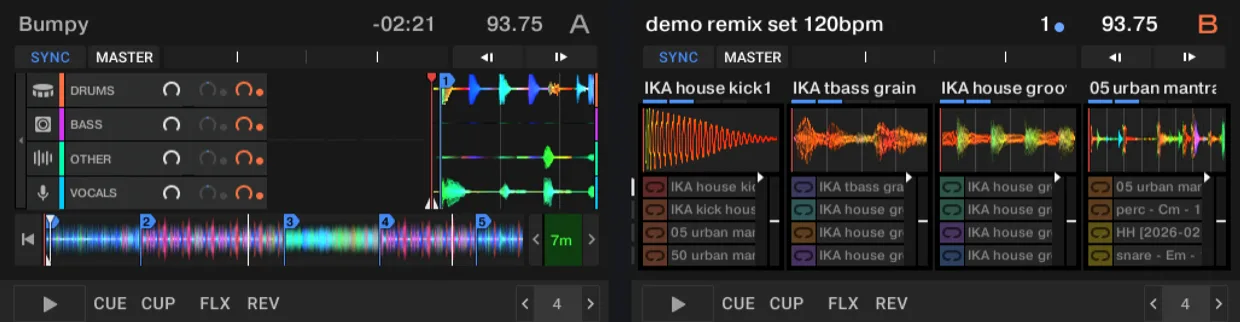
A stem file splits a track into four parts — typically drums, bass, melody, and vocals — that play in sync as a single deck. Traktor's stem decks let you mix those four parts live: drop the vocal, filter the drums, push the bass under the next track. It's one of the most expressive things you can do in Traktor — and it asks for more than a couple of knobs.
#Per-stem control on the iPad
On a stem deck, Interaktiv Tap gives every stem its own controls: a filter, an FX send, a volume fader, a mute, and a cue. Four stems, four channels, all under your fingers at once — so you can duck the vocal with one hand while filtering the drums with the other. That's the kind of parallel move a mouse or a single jog wheel can't make, and it's why a touch surface suits stems so well.
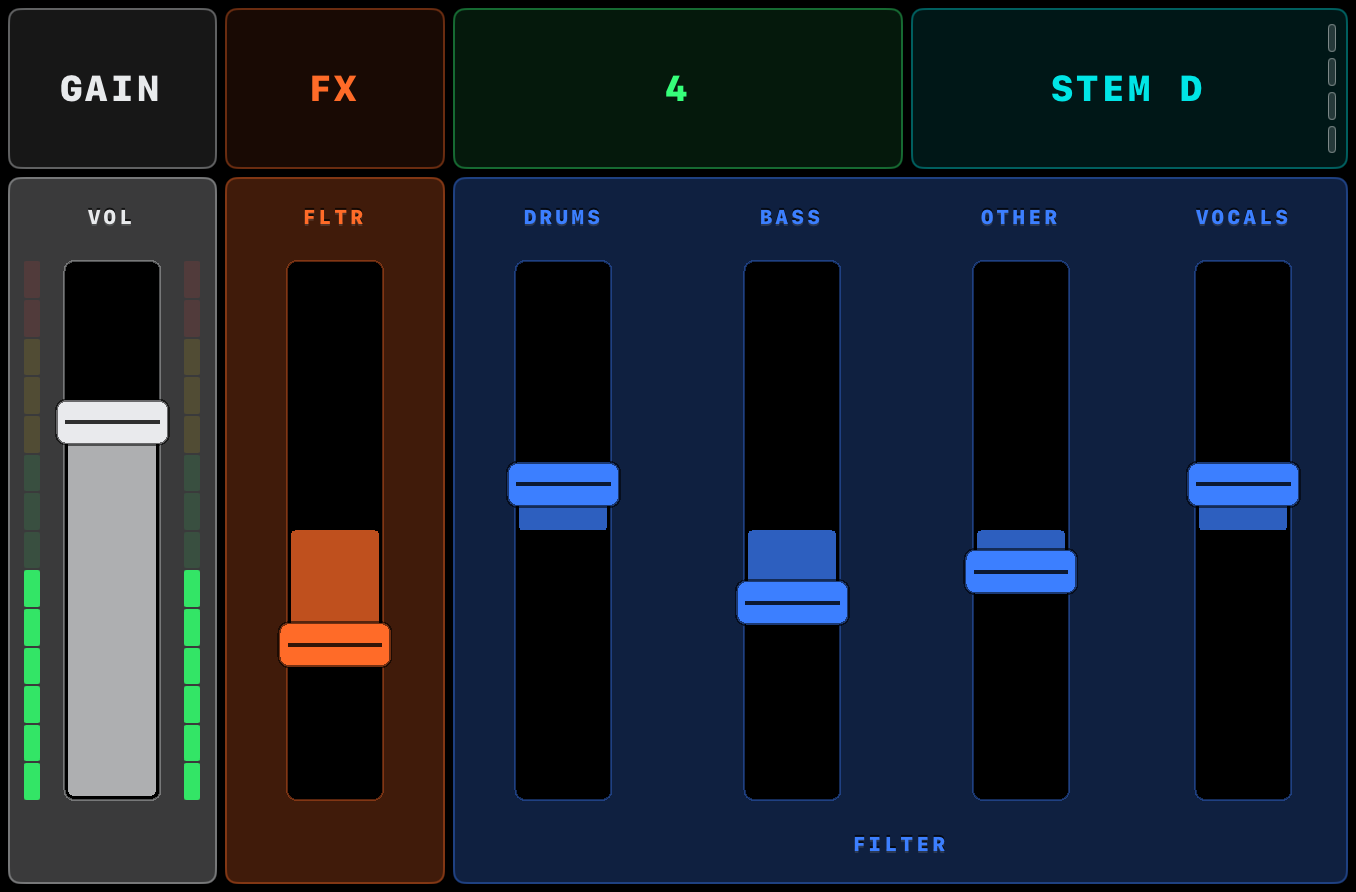
The feedback runs both ways, too: as you ride a stem fader, Traktor's meters and mute states light back up on the iPad, so you're never guessing where things sit.
In a set, that's the move where you let a track ride on just its drums and bass while you tease the incoming vocal in and out — then drop the full stem back as the phrase lands. With every part on its own fader and filter, you build and release that tension with your hands instead of clicking through one channel at a time.
“Playing them with the iPad was a very pleasant surprise.”
#The remix grid
Remix decks work differently — a grid of sample slots you trigger and layer. Interaktiv Tap lays out the slot launcher so you fire cells by touch, with punch-in and slot pages for deeper sets. Punch-in swaps a slot's sample on the next beat without stopping it; slot pages give you more banks than fit on screen at once, so a longer Remix set stays a tap away. Cells show what's playing, and one-shots and loops behave the way you set them up in Traktor. You build the Remix set on the computer; the iPad plays it — firing the cells, loops, and cues that are already there.
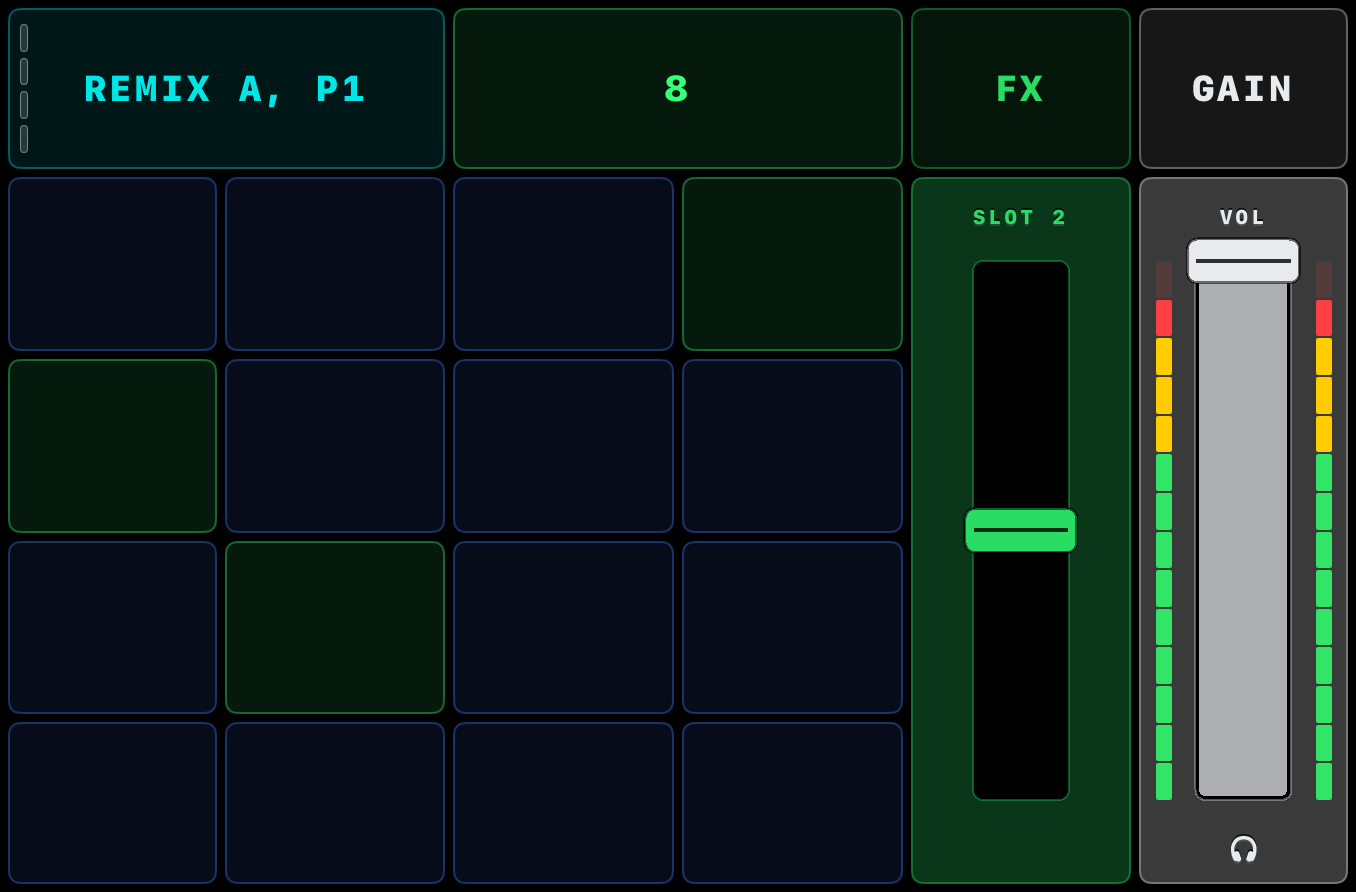
And because the FX pads track three axes and record, a filter-and-FX sweep across the stems can be captured and looped in time — so a build you played once keeps running while your hands move on to the next deck.
For years the way to play remix decks was Native Instruments' Kontrol F1 — the dedicated pad-and-fader controller built for exactly this grid. The F1 has been discontinued without a successor, which leaves that workflow with no current hardware. On glass it carries on: the slot launcher above covers the F1's core moves — firing cells, punch-in, page switching, slot stops — and sits next to the stem channels and FX on the same surface.
#Pro 3 or Pro 4 — and what Pro 4 adds
Stem and remix decks are not new. Remix Decks arrived with Traktor Pro 2.5 in 2012, Stem Decks with Traktor 2.9 in 2015, and Traktor Pro 3 has both. What Pro 4 added is Stem Separation: it can build the four-part Stem file from any track you own — an offline analysis that writes a .stem.mp4, which the stem deck then plays — where Pro 3 could only play Stem files somebody else had made. Pro 4 didn't add stem decks; it added the machine that fills them.
Interaktiv Tap plays both. The stem channels, the remix grid and the two-way feedback are the same on Pro 3 and Pro 4, and they line up with what is on Traktor's screen. Most iPad control apps target older Traktor versions or stay deck-agnostic; this one maps the full surface of both. See exactly which Traktor functions it maps.
#How it connects
It all runs over a single USB cable: plug the iPad into the computer running Traktor Pro 3 or 4, import the mapping, set the iPad as MIDI in and out, and play. New to this? Here's how playing Traktor from an iPad works — or see how the iPad Traktor controller options compare.
#Get it
Interaktiv Tap is free to download, with a 7-day trial — then a one-time unlock, $14.99 in the US. No subscription. You'll need an iPad, Traktor Pro 3 or 4, and a USB cable.

 Scan with your iPad
See what Interaktiv Tap does →
Scan with your iPad
See what Interaktiv Tap does →