Press & media kit
Interaktiv Audio builds live performance tools for DJs and producers. Its first instrument, Interaktiv Tap, turns an iPad into a multi-touch surface that plays Traktor Pro 3 or 4 over a USB cable. Free to download, one-time unlock, no subscription. On the App Store since 11 June 2026; current version 1.3, shipped 28 September 2026 — every release has its own dated page under News.
This page has the boilerplate, verified facts, logos, screenshots, a one-minute film and a full set on video, silent screen b-roll and two booth clips with the room audio — everything you need to write about us without emailing first. Take what you need; no permission request necessary. Anything missing, or a review code for your own platform: [email protected]. The site is interaktivaudio.com.
#What we can give you
- Writing a news post? The dated facts are in the fact sheet, and the boilerplate below is written to paste straight in.
- Writing about Windows? Interaktiv Bridge, the free Windows app that lets Tap play Traktor on a PC, has its own facts and its own boilerplate.
- Want to see it first? A one-minute film is embedded just below, and a full set with sound is one link from it. The channel is open to embed or clip from.
- Making a video? Two clips from a working booth with sound, plus eight silent screen clips, 1280×960, 7–16 seconds each — listed individually with what is in each one.
- Want it in your own hands? The app is free to download and play in 15-minute sessions; ask us and we will send an unlock code that takes the limit off, so you can run a whole set before you write a word.
- Want the argument, not the spec sheet? Story angles and what we deliberately didn't build.
- Filling a directory entry? Everything you need is in the fact sheet, stated with currency and region.
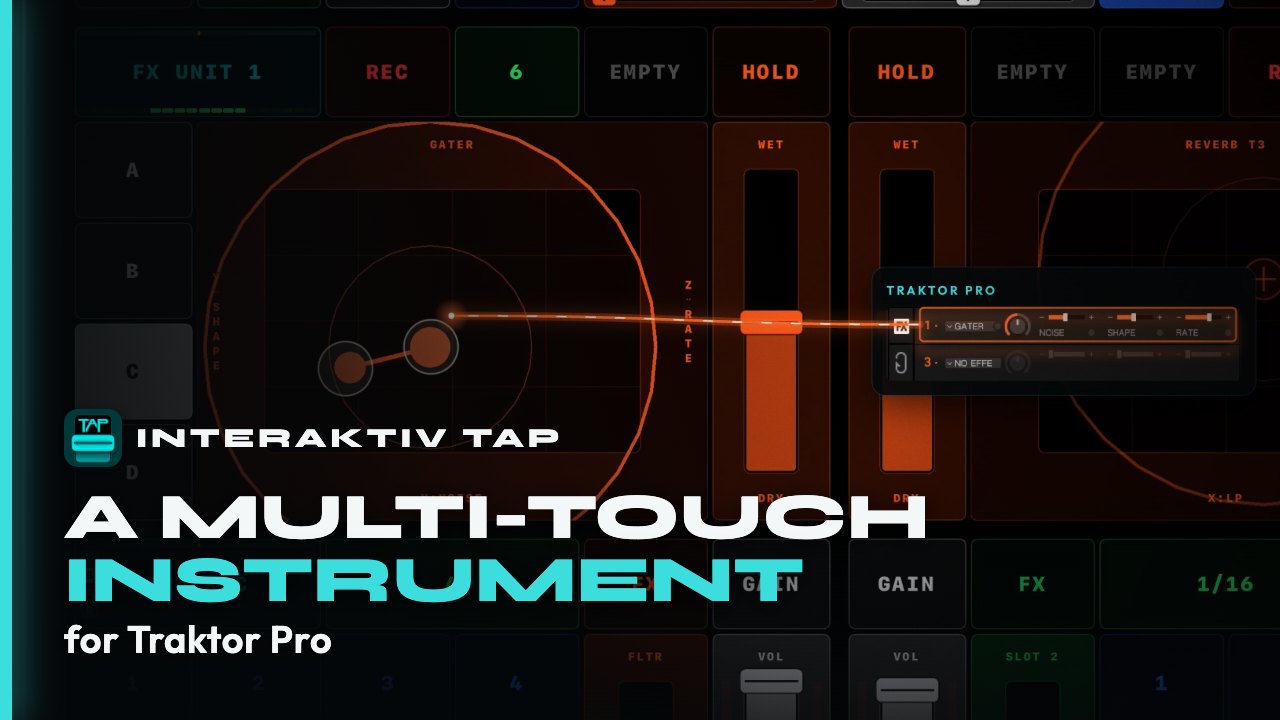
youtu.be/HChBsvOrPOw · a full set, with sound →
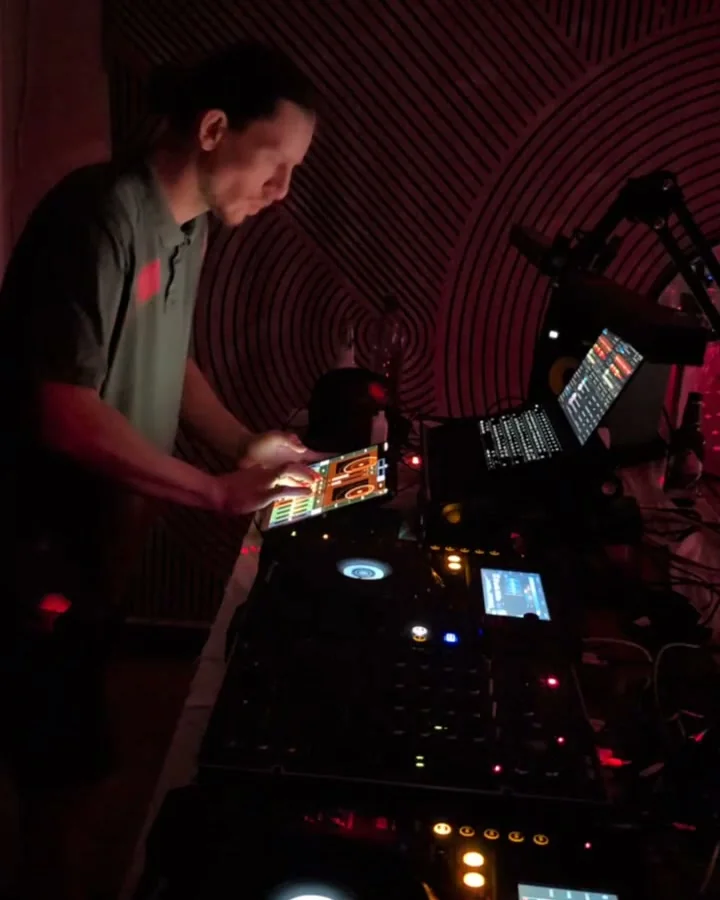
booth-hands.mp4 and booth-room.mp4.gesture-loop.mp4.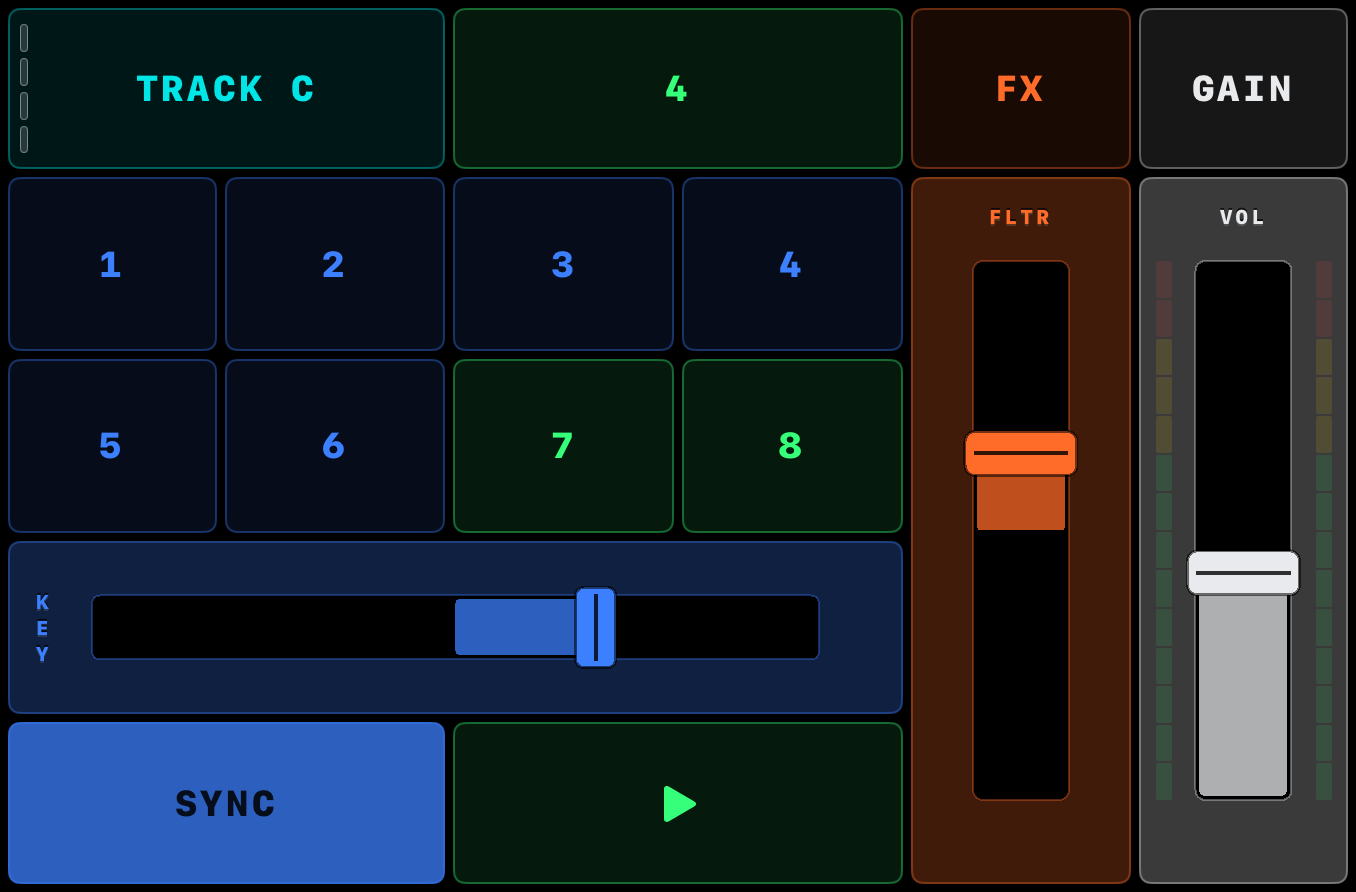
#Use any of it
Everything on this page is cleared for editorial use. No permission request, no embargo, and we don’t ask to see your copy first. Credit Interaktiv Audio where it reads naturally.
The rest — logos, app icon, founder portraits, both booth clips with sound, and eight silent screen clips described one by one — is in the asset pack, individually linked or as one 5.6 MB zip. Need a shot we don’t have, or one at a higher resolution? Ask and we will shoot it.
#Boilerplate
Three lengths, ready to paste. Boilerplate travels further than the rest of this page and should not be the most flattering thing on it, so the caveats ride along as far as each word count allows: the 50-word block names the Windows requirement, and the full paragraph names the browser gap too — that browsing your Traktor library is one of the things you still do on the laptop. At 25 words there is room for the product and the price and nothing else. The word counts are the prose; every block ends with our link, and Copy takes both. The last block is Interaktiv Bridge on its own, for a piece about Windows.
Interaktiv Audio builds live performance tools for DJs and producers. Interaktiv Tap plays Traktor from an iPad’s multi-touch screen — free, with a US$14.99 one-time unlock.
Interaktiv Audio builds live performance tools for DJs and producers. Interaktiv Tap is a multi-touch iPad instrument that plays Traktor Pro 3 or 4 over one USB cable: four decks, mixer, EQ, FX, gesture loops. Free, with a US$14.99 one-time unlock. Windows needs Interaktiv Bridge, our free Microsoft Store app.
INTERAKTIV AUDIO LIMITED is a Hong Kong company building live performance tools for DJs, producers and musicians, founded in March 2026 by Pierantonio Gualtieri, a producer and sound engineer performing since 1990, and Andrey Koppel, a software architect and musician. Its founding belief is that performing live shouldn't mean emulating hardware that inherits from vinyl. Its first instrument, Interaktiv Tap, is a multi-touch iPad instrument that plays Traktor Pro 3 or 4 over one USB cable — free to download, with a one-time US$14.99 unlock and no subscription. It maps 215 of the 524 commands in Traktor's own Controller Manager list; browsing the library is not among them and still happens on the laptop. On Windows it needs Interaktiv Bridge, a free companion app from the Microsoft Store.
Interaktiv Bridge is a free Windows app from Interaktiv Audio that lets Interaktiv Tap play Traktor Pro 3 or 4 over the iPad’s USB cable, with no Wi-Fi and no network setup. It needs an Intel or AMD PC with Windows 11 24H2 or newer, and it is on the Microsoft Store.
#Fact sheet
These facts are updated whenever the app, the bridge or their stores change. Before you publish a price, a requirement or a date, check it here, at interaktivaudio.com/press.
#Interaktiv Tap
- #Product
- Interaktiv Tap
- #What it is
- A multi-touch iPad instrument that plays Traktor Pro 3 or 4 over USB MIDI
- #One-line description
- Play Traktor’s decks, FX and loops by hand on an iPad — 52 characters, if you have a field for it
- #What Traktor is
- Traktor Pro is the DJ software made by Native Instruments, long a standard in club booths. Interaktiv Audio is an independent company: not affiliated with, sponsored by or endorsed by Native Instruments. Traktor is their trademark, not ours
- #Platform
- iPad, iPadOS 18 or later. Not iPhone. No Android
- #Requires
- Traktor Pro 3 or 4 on a Mac or PC; one USB cable (Lightning or USB-C) straight to the computer — no camera adapter, no wireless mode
- #On Windows
- Also needs Interaktiv Bridge, our free companion app that carries MIDI over the same USB cable — Windows 11 24H2 or newer. Free from the Microsoft Store — it installs like any other Store app. Everything else is identical on both platforms
- #What it maps
- As of Interaktiv Tap 1.3, mapping 15.12.0: 215 of the 524 commands in Traktor Pro 4’s own Controller Manager list — 41%, touching 9 of its 14 sections. The 215 are the ones you reach for with a track playing; the largest single gap is the Browser at 59 commands, which is the one we call unfinished rather than deliberate. Command by command on what it maps, generated from the mapping itself
- #Price
- Freemium. Free to download, and free to keep using: full-featured 15-minute demo sessions, relaunch for another. Optionally a 7-day free trial of everything. To remove the limit, a one-time unlock, $14.99 in the US — App Store pricing is regional, so check your own store. No subscription, ever
- #App Store
- apps.apple.com/app/id6778338307
- #Current version
- 1.3, shipped 28 September 2026. On the App Store since 11 June 2026
- #Website
- interaktivaudio.com
- #App Store category
- Music
- #Languages
- English
- #Licence
- Proprietary. Free to download and keep using; the unlock is a one-time in-app purchase, not a subscription
- #App icon
- app-icon.png, PNG 1024×1024 — the canonical one. icon-512.png is the website icon, not the app's
- #Company
- INTERAKTIV AUDIO LIMITED, Hong Kong. Founded 31 March 2026. Bootstrapped, two founders
#Interaktiv Bridge
- #Product
- Interaktiv Bridge
- #What it is
- A free Windows app that carries Interaktiv Tap’s MIDI to Traktor Pro 3 or 4 over the iPad’s USB cable. It sits in the tray, starts with Windows and carries Tap and nothing else. On a Mac none of this is needed
- #Requires
- An Intel or AMD PC with Windows 11 24H2 or newer, Apple’s free Apple Devices app, and Traktor Pro 3 or 4. PCs with an ARM processor are not supported
- #Price
- Free
- #Microsoft Store
- apps.microsoft.com/detail/9NTVXDWXBNPD
- #Released
- On the Microsoft Store since 28 September 2026
- #In detail
- Setup, every status its window can show, and the FAQ: interaktivaudio.com/bridge
#What happens if we stop
A fair question to ask a two-person company founded this year, so here is the answer in full. Interaktiv Tap runs entirely on your iPad. There is no account, no server, no licence check and no telemetry — the app does not phone home, because there is nowhere for it to phone. Your unlock is an Apple receipt, not a subscription we can switch off.
The Traktor side is a settings file you have already imported. It lives in your Traktor, not with us. If we disappeared tomorrow, the app on your iPad and the mapping in your Traktor would both keep working exactly as they do today, for as long as the two of them run.
That is not a promise about our future. It is a description of how it is built, which is the only kind of assurance worth anything from a company our age.
#Coverage so far
The outlets that have written about us, one entry each. A page that only quotes itself is worth less than one that shows you where else to look. Nobody was paid and nothing was embargoed.
- Synthtopia — “Interaktiv Tap Turns Your iPad Into A Multi-Touch Traktor Performance Controller”, 29 August 2026
- MMR — Musical Merchandise Review — “Interaktiv Tap App Integrates iPad Control with Traktor Software”, 29 August 2026. The music-products trade desk; written from the Synthtopia piece, which it credits
- KVR Audio — carries our release news: “Interaktiv Audio updates Interaktiv Tap Multi-Touch iPad Instrument to v1.3 and releases Interaktiv Bridge for Windows”, 28 September 2026, and the v1.2 news, 24 August 2026
- Gearspace — New Product Alert, 16 June 2026, published by The Press Desk from our release
Written about us? Tell us — we read everything that mentions us, and an outlet we have missed goes on this list.
#Release history
Every release and announcement has its own page under News, newest first — one link per release, so you can cite a version rather than the product page. New ones go out on the RSS feed the moment they ship, which is the fastest way to hear about the next one; the App Store version history carries the same notes.
Three facts have changed since Interaktiv Tap first came out on 11 June 2026, and older coverage can still carry the old ones. It was a paid app until 1.2 (29 July 2026) and has been free to download since. It needed Traktor Pro 4 until 1.3 (28 September 2026) and plays Pro 3 or 4 since. And until 1.3 its layout was not tuned for the iPad mini; now every iPad on iPadOS 18 or later plays the full surface, the mini included. If you are working from an article written before 28 September 2026, check it against the fact sheet.
#What stays in Traktor
Interaktiv Tap plays Traktor; it does not replace it. Five areas are not mapped from the iPad — the browser and library, recording, beatgrid and BPM editing, timecode (DVS), and Traktor's own app settings — so you keep doing those in Traktor itself.
Some of that is deliberate: beatgrids, library prep and preferences are work you do before a set, not during one. Browsing is not. It simply isn't mapped yet, and it is the one thing that still sends a hand back to the laptop mid-set. The full command-by-command breakdown is on what it maps.
#Asset pack
Every file below is public and free to use in coverage. The zip contains all of it — 2 logos (PNG), 2 app icons, 2 founder portraits, 4 screenshots, 3 photos, 3 Windows-bridge screenshots, 2 booth clips and all 8 b-roll clips, plus a README with these usage rules. It is only 5.6 MB because the screen clips are short recordings, not broadcast footage. Every file below is also a direct link — take one without downloading the zip. The eight screen clips are H.264 High profile, 1280×960 (4:3), at roughly 200–320 kbps — iPad screen recordings, not camera footage, six of them at 120 fps and two (faders, freeze-restore) at 60, so they hold up slowed down. All eight are safe to use in a monetised video: they contain no third-party music and no footage we do not own. The two booth clips are 720×1280 vertical, 12 seconds, around 750 kbps. They are recordings, not broadcast masters: fine to cut and caption, and they will not survive a hard push-in. If you need a specific shot at a higher resolution, ask and we will shoot it.
Download the press kit (.zip, 5.6 MB, 26 files)- logo-dark.png · logo-light.png — PNG 1024×1024, transparent. If you need the mark larger or in vector, ask and we will send it
- app-icon.png — the app icon, PNG 1024×1024. This is the one for a listing. · icon-512.png — the website icon, not the app's
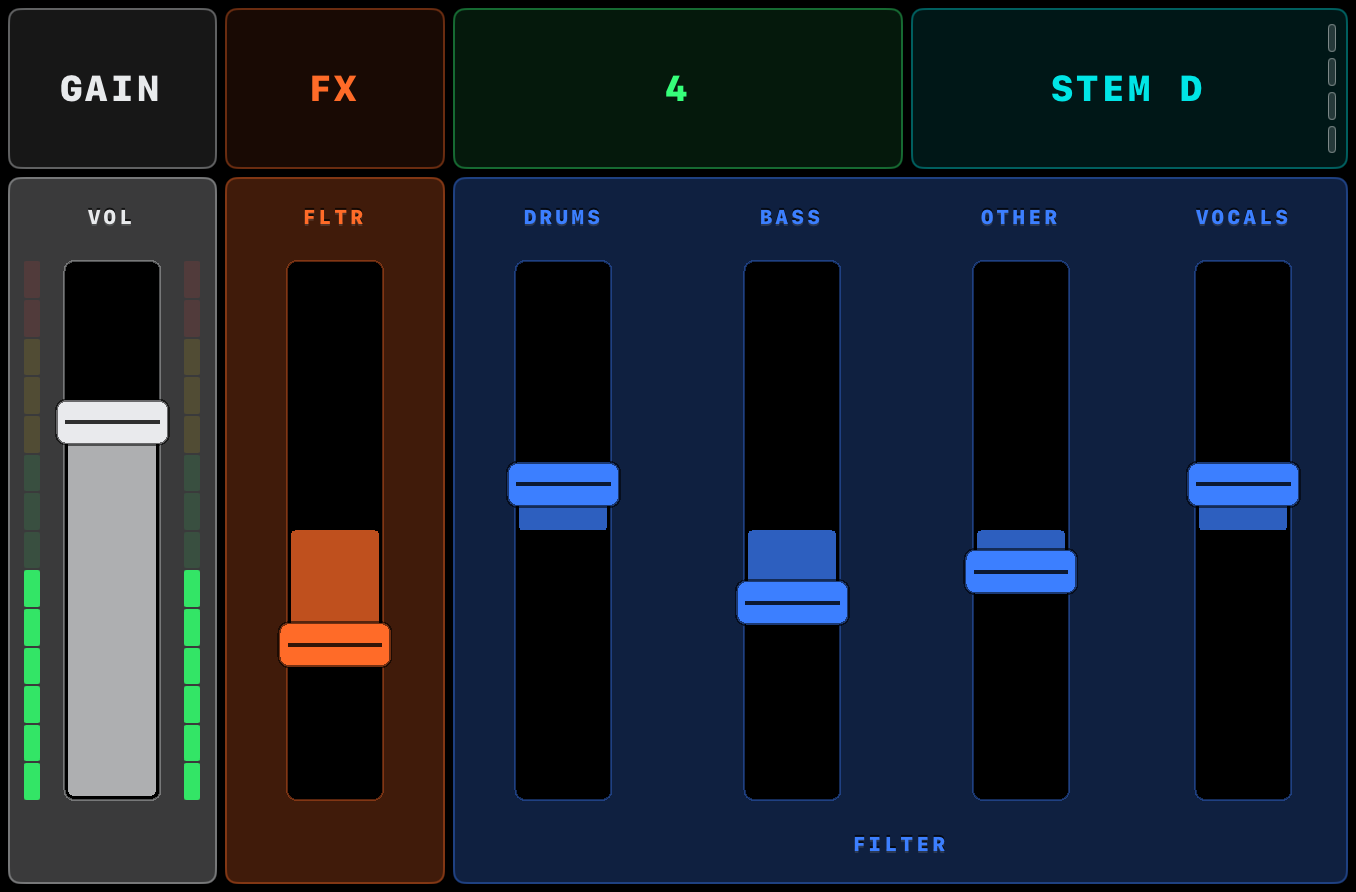
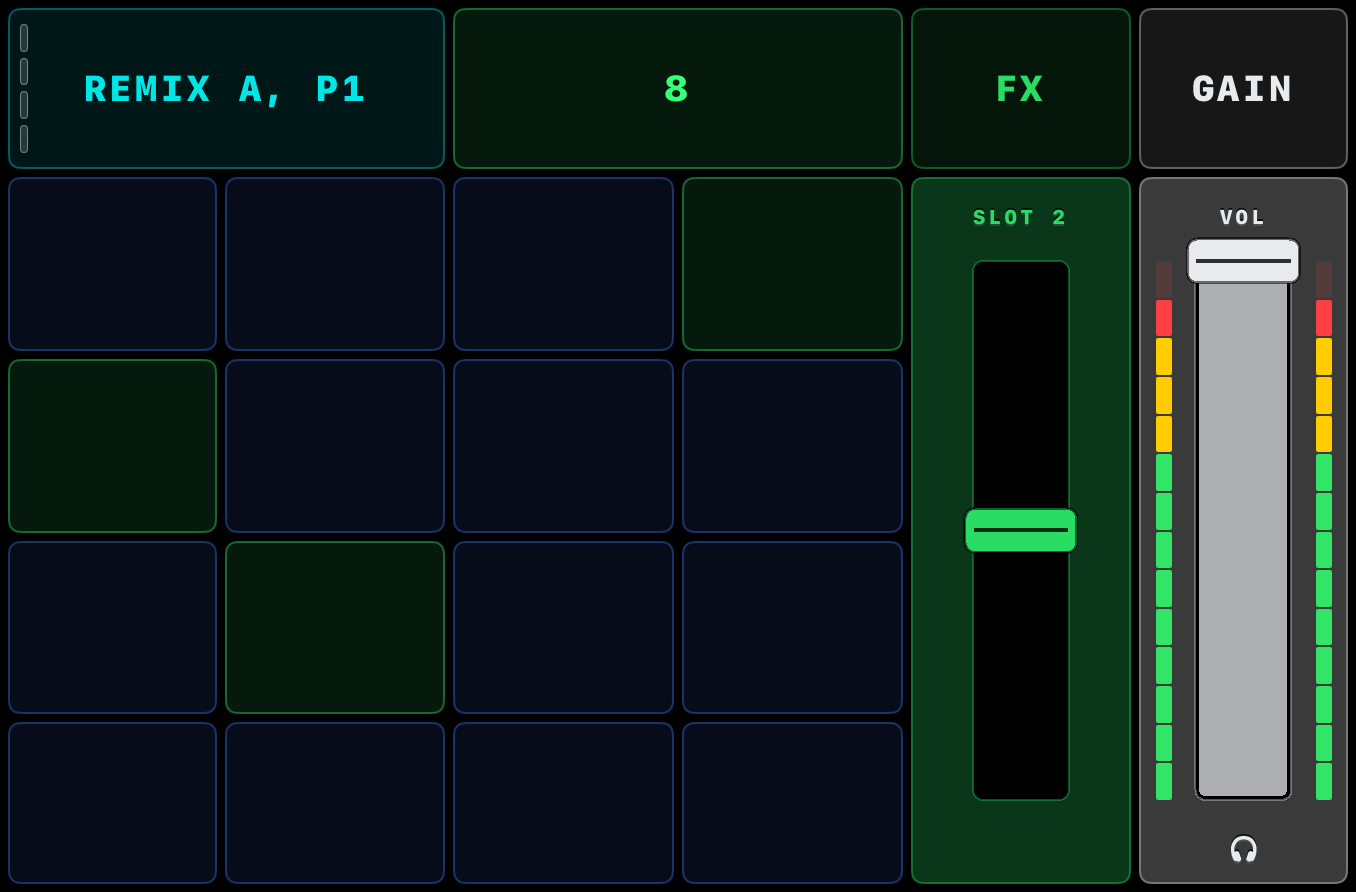
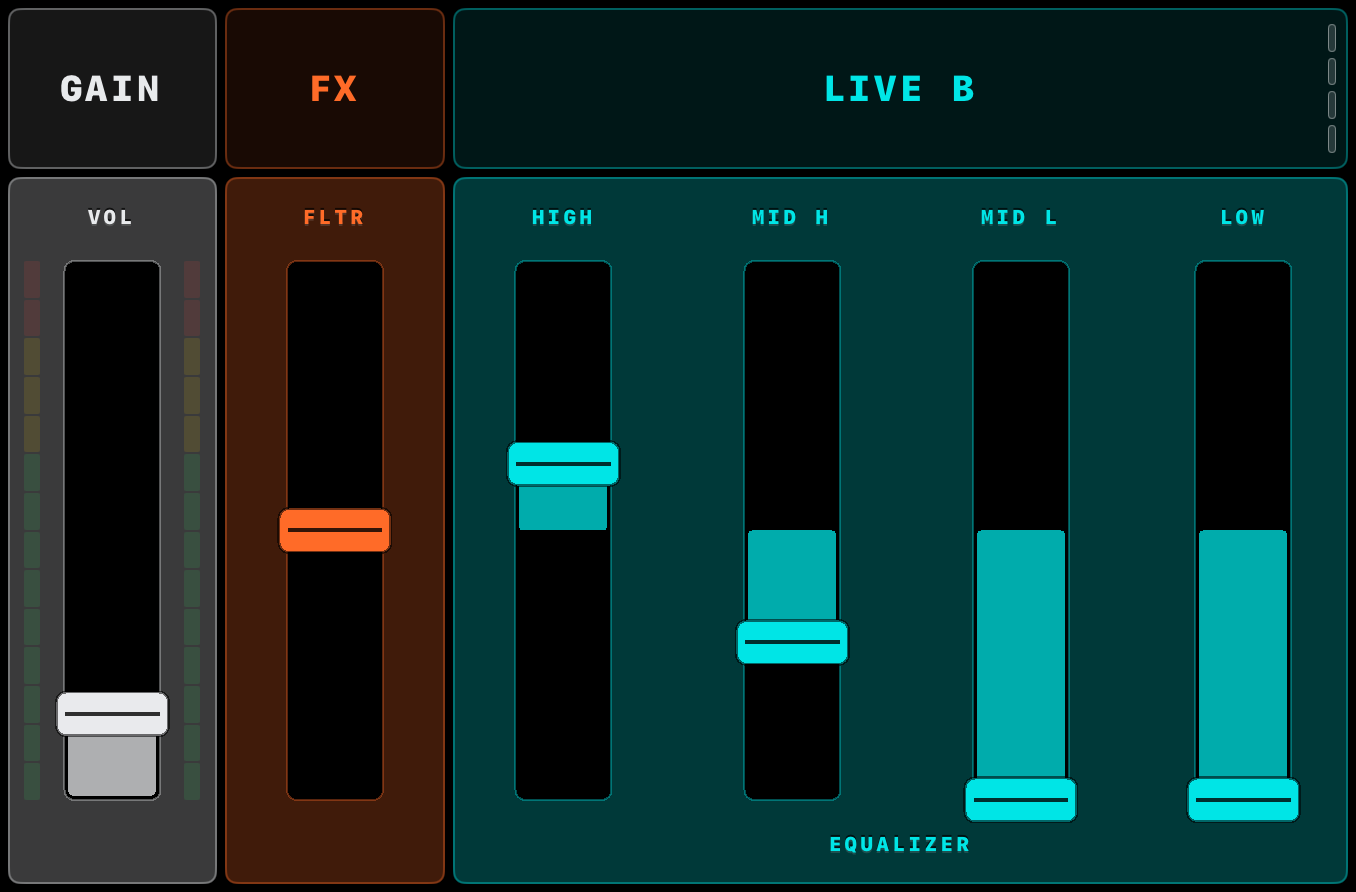
- deck-track.png · deck-stem.png · deck-remix.png · deck-live.png — the four deck types, PNG 1356×892
- youtu.be/HChBsvOrPOw — the one-minute film on YouTube: the setup, the gestures, Traktor answering each one. Music by Iltoro · youtu.be/sRX8TgfyjBI — a full set, with sound, played by Pierantonio Gualtieri (Iltoro). Embed or link either; no permission needed
- Camera footage and photo, shot in a working booth — a founder playing it, hands and laptop in frame. Both clips carry the room audio; this is what it sounds like being played:
- booth-hands.mp4 — 12s — 720×1280 vertical, with sound — hands on the surface mid-set, the room as it actually sounded
- booth-room.mp4 — 12s — 720×1280 vertical, with sound — wider, iPad and laptop together on the booth
- booth.webp — WebP 720×900 — the same setup, as a still
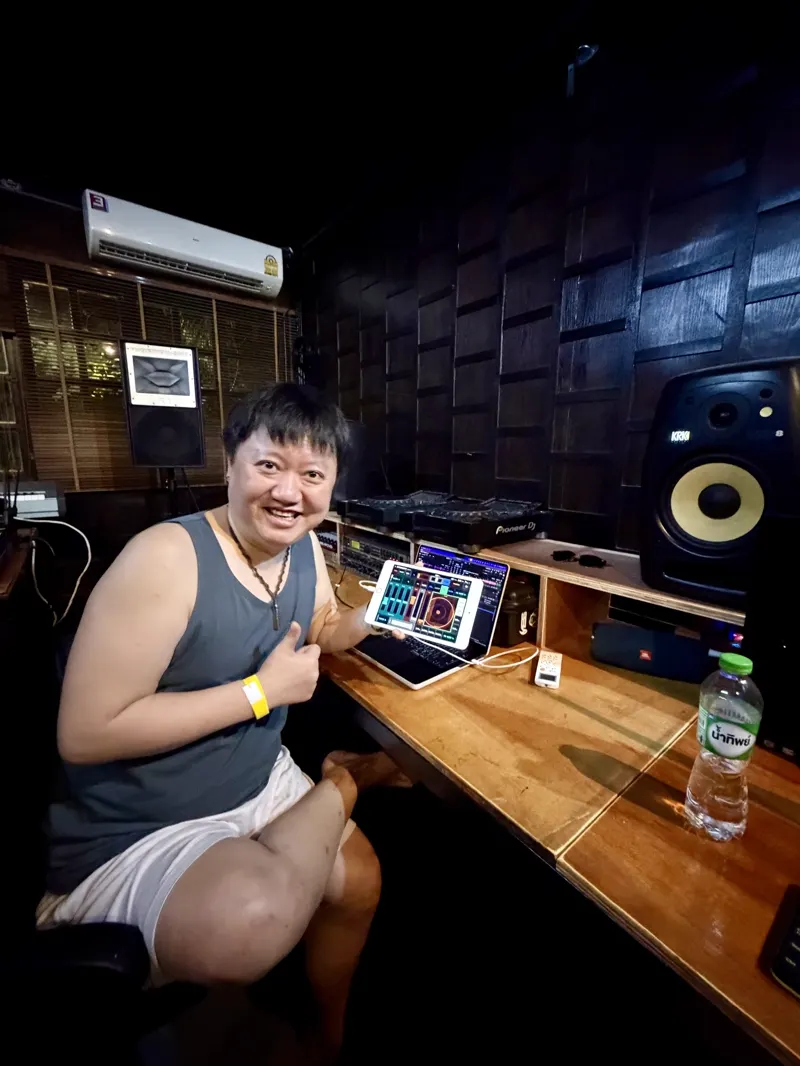
- miki-studio.webp — WebP 800×1066 — DJ MiKi playing it in his own studio, on his own rig. Used with his permission; credit him if you run it
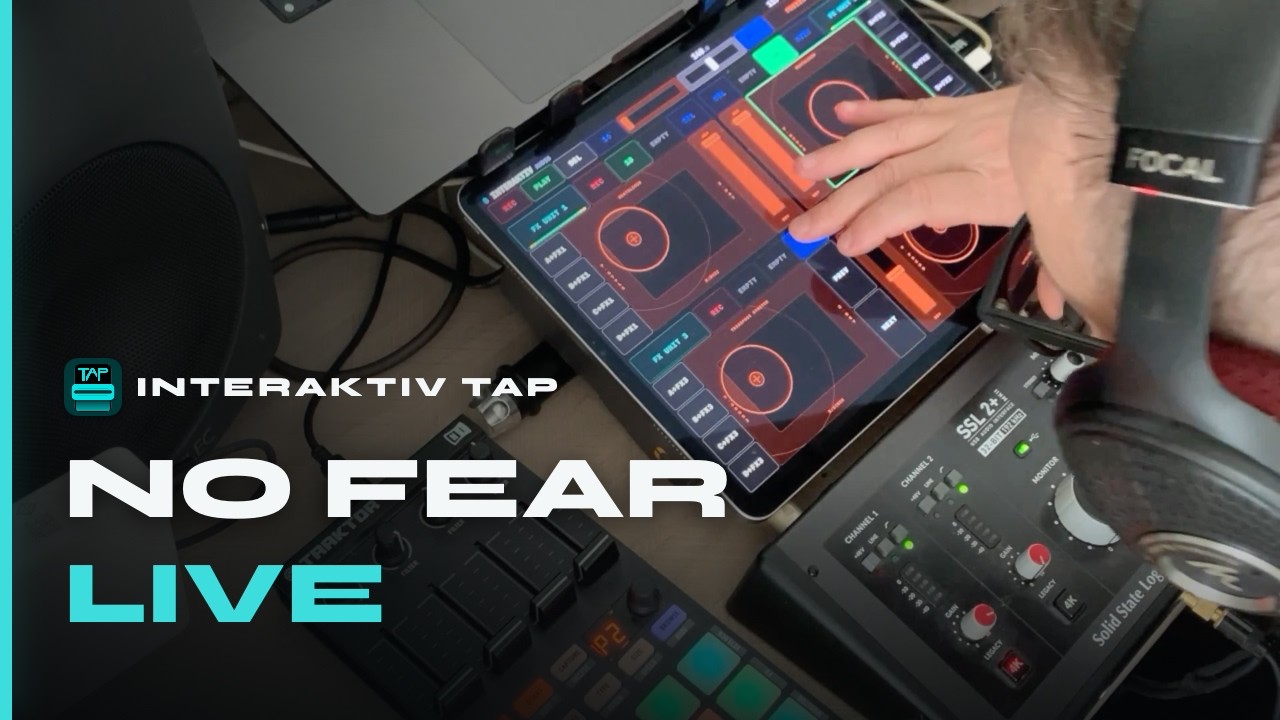
- set-poster.jpg — JPEG 1280×720 — the title card for the full set on YouTube. It has “NO FEAR / LIVE” burnt into it, so it is a thumbnail, not a clean press photograph. People kept asking for it, so here it is
- Interaktiv Bridge on Windows — WebP screenshots of its window:
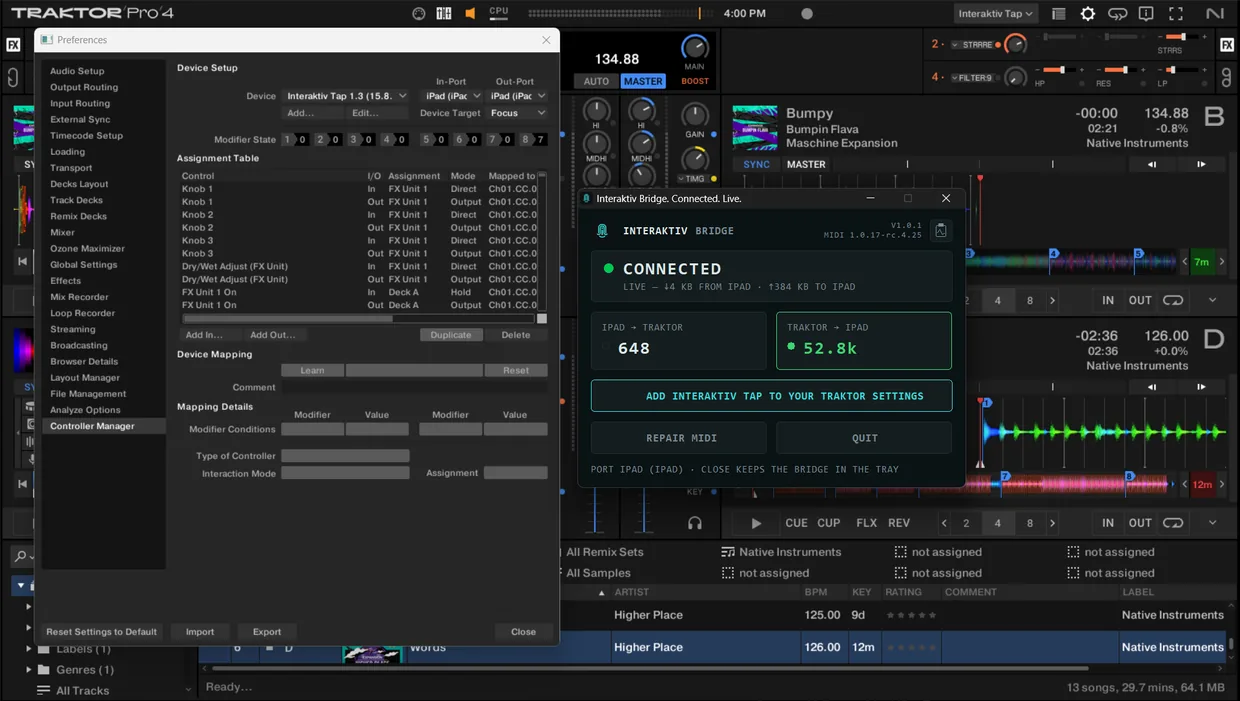
- bridge-over-traktor.webp — WebP 1240×701 — the window over Traktor: CONNECTED, MIDI counted in both directions, and Controller Manager behind it with both ports set to iPad (iPad)
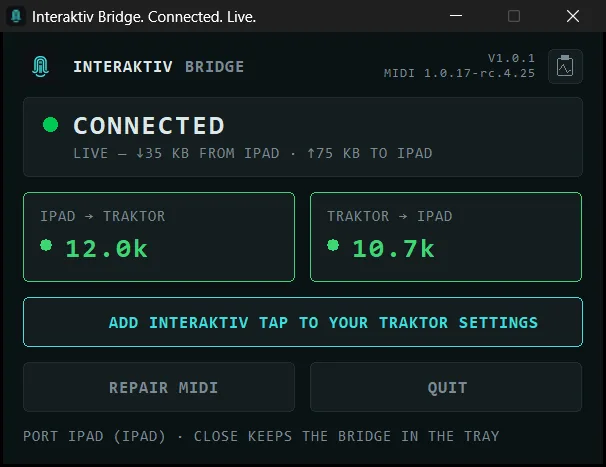
- bridge-status-connected.webp — WebP 606×467 — the window on its own, connected
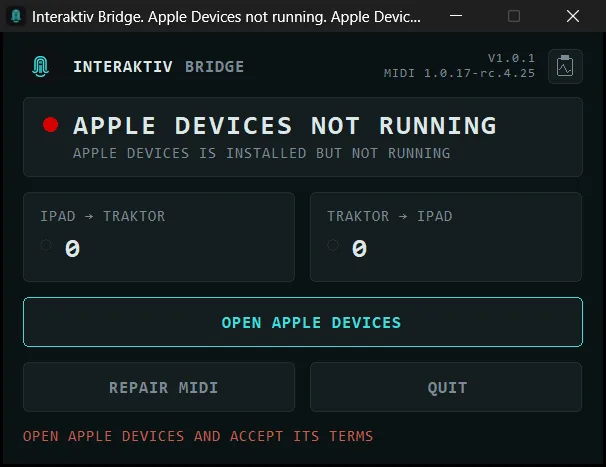
- bridge-status-remedy.webp — WebP 606×467 — a red state, with the one button that fixes it
- Silent b-roll — MP4 (H.264), 1280×960, no audio track:
- hero.mp4 — 16s — the surface being played with both hands
- gesture-loop.mp4 — 14s — recording a gesture and looping it in time
- faders.mp4 — 10s — EQ and volume faders under the fingers
- freeze-restore.mp4 — 11s — Freeze snapshots Traktor, Restore puts it back
- deck-expand.mp4 — 7s — a deck expanding to full height
- app-lock.mp4 — 8s — App Lock: the screen locks so you can wipe sweat off it mid-set without triggering anything
- audio-loop.mp4 — 14s — the loop controls in use
- ai-assistant.mp4 — 11s — the in-app assistant answering a question about the app, on-device





#Usage
- Don't recolour or distort the logo.
- The Apple “Download on the App Store” badge is Apple's artwork — never recolour, distort or rebuild it.
- Don't tilt, stretch or obstruct device frames. Cropping and reframing to fit your timeline is fine — the screen clips are 4:3 and we know what that costs you in a 16:9 edit.
- Keep filenames stable if you re-host these.
#Story angles
#An instrument, not a controller
Most DJ software still imitates knobs and jog wheels inherited from vinyl. Interaktiv Tap starts from the multi-touch surface instead and asks what you could play if the glass were the instrument — three axes under each finger, gestures you can record and loop.
#The two founders
A Conservatory-trained producer who has played Traktor since its earliest versions, and a software architect and musician. They met in 2023 over a shared frustration: Traktor's deepest tools were powerful on paper and hard to actually perform.
#The category gap
The space TKFX and Lemur last occupied around 2014, left wider by the discontinuation of the Kontrol F1 — performers who want hands-on control of effects and remix decks have had fewer and fewer options.
#What we refused to build
Two things that look like limitations are decisions, and each one cost us something:
#Wireless works. We don’t support it.
It runs over the network — we have used it. We do not ship it, because parts of the MIDI implementation are timing-sensitive and network jitter breaks them: the gestures you record and loop have to land on the beat, and a variable delay quietly ruins exactly the feature the instrument is built around. It would work in your kitchen and fail in a room with three hundred phones in it.
So the requirement is one USB cable. What that costs us is the demo — connecting over Wi-Fi looks like magic in a video, and a cable does not. We would rather be unglamorous and predictable on the night it matters.
#No layout editor.
It ships tuned, the way an instrument does — nobody rearranges a CDJ. The two-way feedback depends on the mapping being designed as one piece. If you want to build your own surface, TouchOSC is genuinely good at that; it is a different craft and we are not competing with it.
#What glass can’t do
Glass has no detents, no edges and no resistance. You cannot find a control on it without looking, the way your thumb finds a jog wheel in the dark. That is permanent, it is not a version-two problem, and anyone who tells you otherwise has not played a four-hour set.
We designed around it rather than denying it. Controls are large and positional. App Lock exists because a booth is wet and at some point you will put a whole hand on the screen to wipe it — we built that feature because we know what glass does under those conditions.
What glass gives back is what a knob cannot: three axes under a single finger, a surface that changes shape for the job in front of it, and gestures you can record and replay in time. That is the trade. It is a real one, and it will not suit everybody.
#Quotes cleared for reproduction
Reproduce these verbatim, typos included, with the attribution as written.

miki-studio.webp.“AWESOME APP man I cant belive how free I feel with playing with STEMS, will be an insta buy for sure, but even the trial aproach is great TYVM for what you guys are doing, keeping traktor alive!!!!”
Nicolas Jara (Jubaea Moss) · DJ
“Aiutare questi ragazzi a crescere mi fa molto piacere.ho testato questo programma personalmente e penso sia fantastico. Siete stati gentilissimi a guidarmi nella procedura….peso sia difficile per voi trovare un sessantaduenne cimentarsi con questi programmi. Saluti Michele”
Di Stefano Michele · ★★★★★ App Store review, Italy, titled “Traktor con windwos” — the app's first written review, from a 62-year-old DJOur translation, if you need it in English: “Helping these guys grow gives me real pleasure. I tested this program myself and I think it is fantastic. You were very kind in guiding me through the procedure… I think it must be rare for you to find a sixty-two-year-old taking on software like this. Regards, Michele” — run either version; if you run ours, please say it is a translation.
“The app excels in new ways to control stuff. Good feeling, good execution. LIF”
EsseBiTi · ★★★★★ App Store review, Switzerland
“That’s a good one. Very thoughtful.” — on App Lock, which locks the screen so you can wipe off sweat without triggering anything
Sûlherokhh · NI Community Expert · author of the X1 MK3 & S4 MK3/S3 Traktor performance mods
#The founders
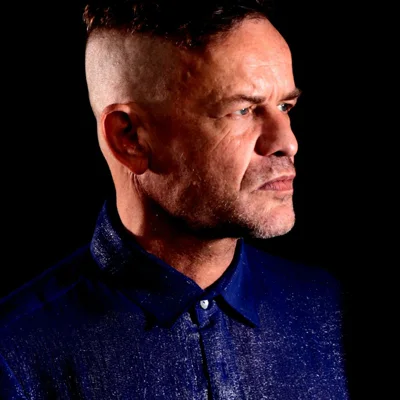
Pierantonio Gualtieri
Co-founder · product & live performance
A producer, DJ and sound engineer since 1990, performing as Iltoro. Trained at the Conservatory of Music Luigi Cherubini in Florence; founder of the Urban Mantra and Moustache labels and Hyper Studio in Italy. He has played Traktor since its earliest versions.

Andrey Koppel
Co-founder · software & engineering
A software architect since 2008 and a lifelong musician, with a classical education in both music theory and computer science. A DJ and producer himself, he runs Vibrohive studio in Chiang Mai, and writes the software.
Both portraits are in the press kit, 400×400 — Pierantonio · Andrey.


#More detail, if you need to check something
Everything above is self-contained. These go deeper, and you are welcome to link any of them:
- Interaktiv Tap — what the product does, with video
- The Windows bridge — how an iPad reaches Traktor on Windows over one USB cable
- The manual — every feature and gesture, in full
- What it plays in Traktor, audited — the 215 commands it plays, the 309 that stay in Traktor, and why
- Traktor command list — every mappable command, ours marked
- How Traktor MIDI mapping works — background, if you're explaining it to readers
- Traktor's MIDI Out, measured — the two-way state problem in numbers, if you want proof of the engineering
- Playing Traktor from an iPad — the beginner's guide
- The iPad options compared — including the ones that aren't ours
- Stem and remix decks — the part most people ask about
- About the company — the two founders, at more length
#Press contact and review access
Write to [email protected] — one inbox, both founders, usually answered within a day.
Either founder will get on a recorded call — 20 minutes or an hour, audio or video, your platform or ours, and you may use the recording. Pierantonio is in Italy and Andrey is in Thailand, so say roughly what time zone suits and we will work around it. Interviews, technical questions, or someone to say the awkward parts out loud: just ask.
Reviewers and creators: we're glad to provide an unlock code so you can cover Interaktiv Tap on your own platform. Just ask, and tell us where the coverage will run.