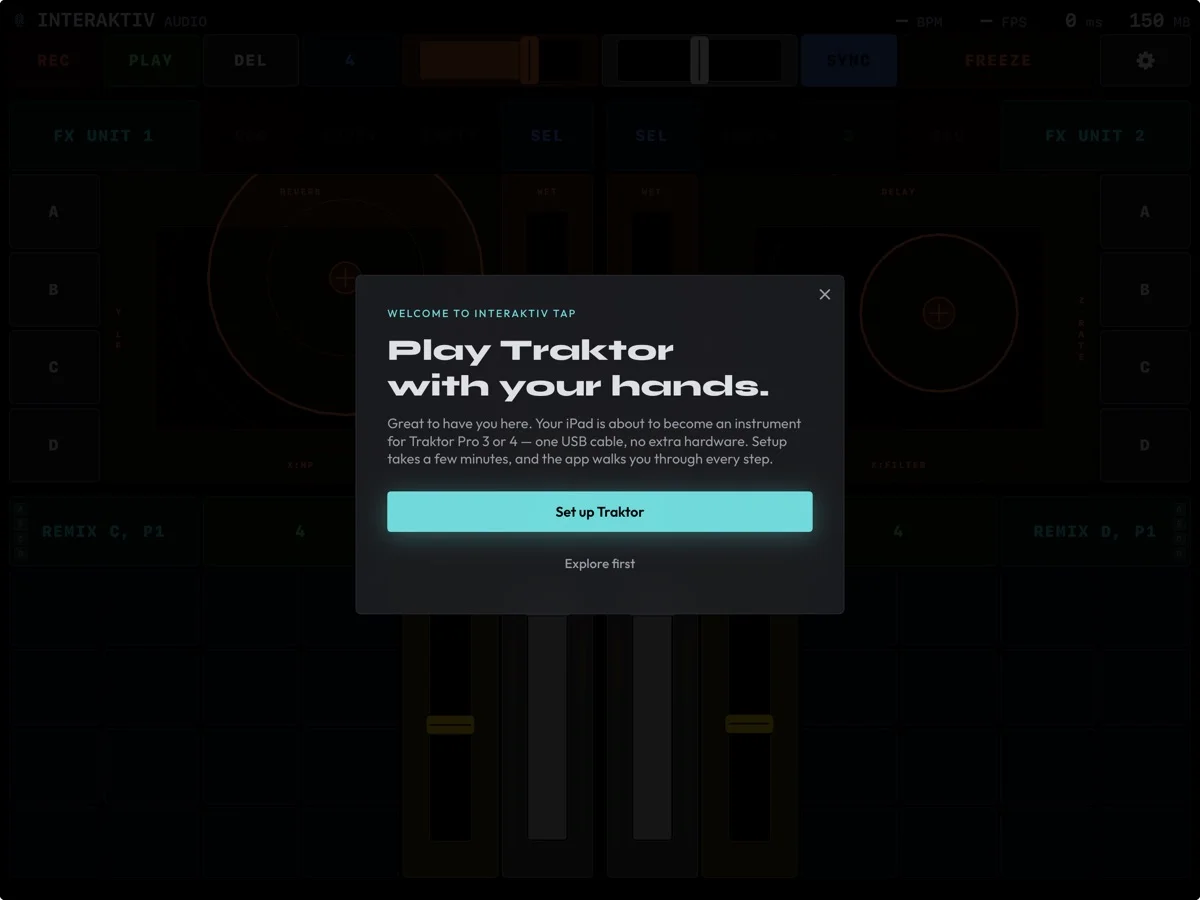
The welcome on first run: Set up Traktor walks you through connecting, or Explore first.
Interaktiv Tap v1.2 is live — the biggest update yet: a smarter setup, effects by name, and a new free way in.
First, to everyone who bought the app when it was paid: everything stays unlocked, forever. Thank you for being early.
Everything in this release:
Effects by name. Browse and choose Traktor’s effects right on the instrument, on a pad that adapts to each effect. Curate your own shortlist per FX unit.
Stereo level meters. Pre-fader deck levels, live on the surface.
New guided setup. Connecting Traktor is a short walkthrough now. Your settings are merged, never replaced: your own devices and layouts stay exactly as they are, and a tuned four-deck layout with FX panels is added for you.
No more file juggling. The app shows a web address; open it on your Mac, drop your Traktor settings onto the page, and the merged copy downloads straight back.
The app now knows your Traktor. It recognises its own mapping, pulls Traktor’s full state the moment you launch, keeps the beat clock in step, and lets you know when an update calls for a quick re-merge.
Free to download. Play full-featured 15-minute sessions, start a 7-day trial, or unlock everything with a single purchase. Family Sharing included.
Leaner under the hood. More robust MIDI handling and lower energy use between sessions.
Expanded in-app manual, with new guides and troubleshooting.
If you know a DJ who runs Traktor on iPad, it’s never been easier to try.

 Scan with your iPad
See what Interaktiv Tap does →
Scan with your iPad
See what Interaktiv Tap does →