Interaktiv Tap v1.1 — the manual moves into the app
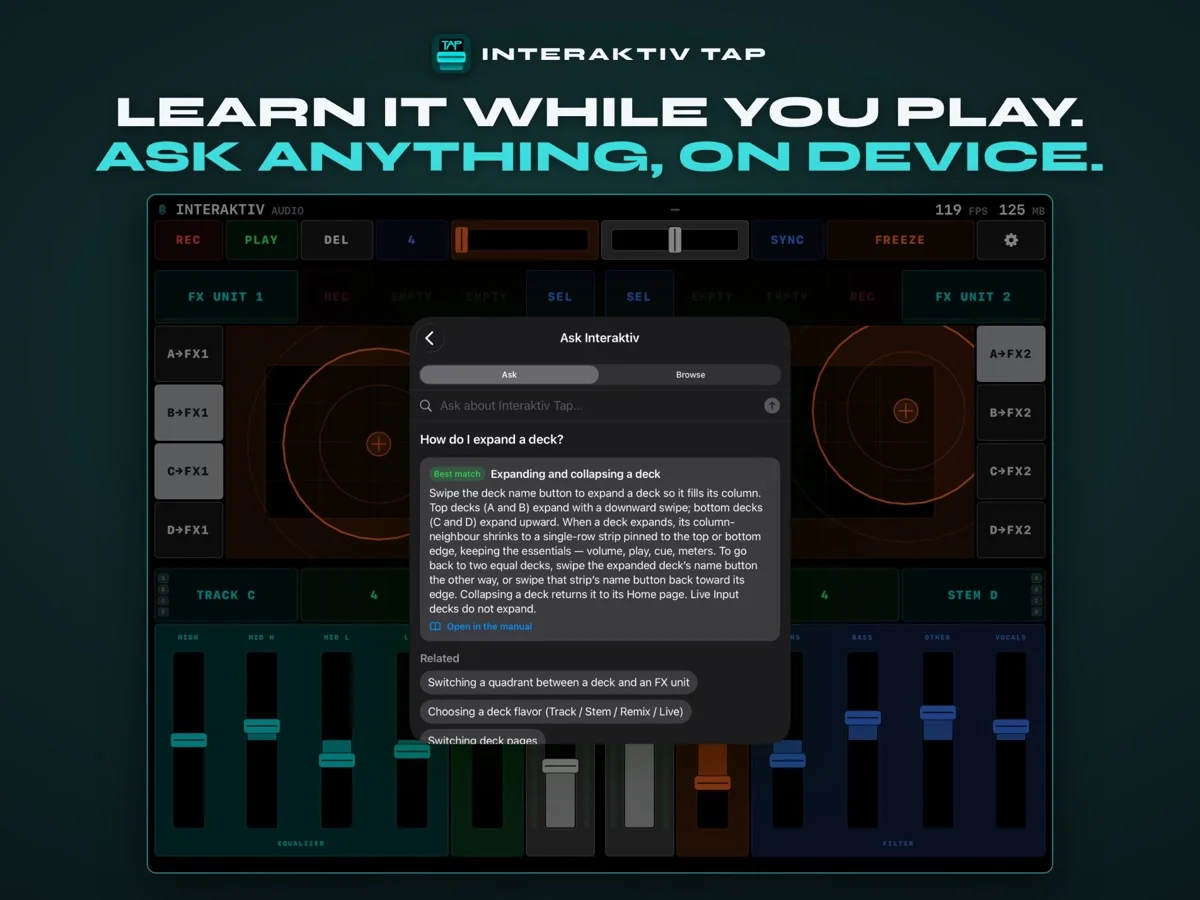
Ask Interaktiv over the instrument, answering “How do I expand a deck?” with the matching section and related topics.
Interaktiv Tap v1.1 is live on the App Store — a built-in manual, broader iPad support, and clearer feedback on the surface.
The thing we’re most happy about: the whole manual now lives inside the app. For a deep instrument, lowering the learning curve matters as much as adding features.
Everything in this release:
Ask Interaktiv. A complete manual now lives inside the app. Browse it like a book, or just type a question — “how do I kill the bass?” — and get the exact section. Setup, every gesture, the decks, FX, recording, troubleshooting. All on device and offline: no account, nothing leaves your iPad.
Runs on more iPads. Now supports iPadOS 17 and later.
Clearer deck feedback. When a quadrant is an FX unit, the deck button shows which decks (A–D) feed it, and glows green while its recorded gesture loop is still playing. A collapsed deck now shows the headphone-cue mark on its volume fader.
Home page. The deck’s main page — hot cues, key, transport — is now called Home; collapsing a deck returns it there.
Adjustable text size. Make the manual and Settings text larger from Settings.
Screen-recording aid. Turn on Show touch points in Settings to glow each fingertip, so your gestures read clearly in recordings.
Refined Traktor mapping. The exported .tsi and the Settings labels now carry the Interaktiv Tap name.

 Scan with your iPad
See what Interaktiv Tap does →
Scan with your iPad
See what Interaktiv Tap does →